Reading Cutout Data
Read a generated cutout dataset (Zarr images + Parquet metadata) back into memory,
row-aligned, via dbof.cutout_dataset_access.
Access config
A data-access YAML locates the dataset (bucket, folder, dataset_name, s3_endpoint);
run_id is passed at read time, so one config can serve many runs where the output location is the same. Example:
configs/cutouts/data_access/cutout_test_data_v1.yaml.
Load
from dbof.cutout_dataset_access.access import load_cutout_dataset

ds = load_cutout_dataset(
    "configs/cutouts/data_access/cutout_test_data_v1.yaml",
    run_id="cutout_test_data_v1",          # overrides the config's run_id
)

ds.images         # dask (N, C, H, W), lazy
ds.metadata       # DataFrame, row-aligned:  images[k] <-> metadata.iloc[k]
ds.channel_names  # channel order (feature_channels + XC, YC)
Builds the filesystems from the config’s endpoint, links images to metadata by image_id,
and drops empty store slots / holes.
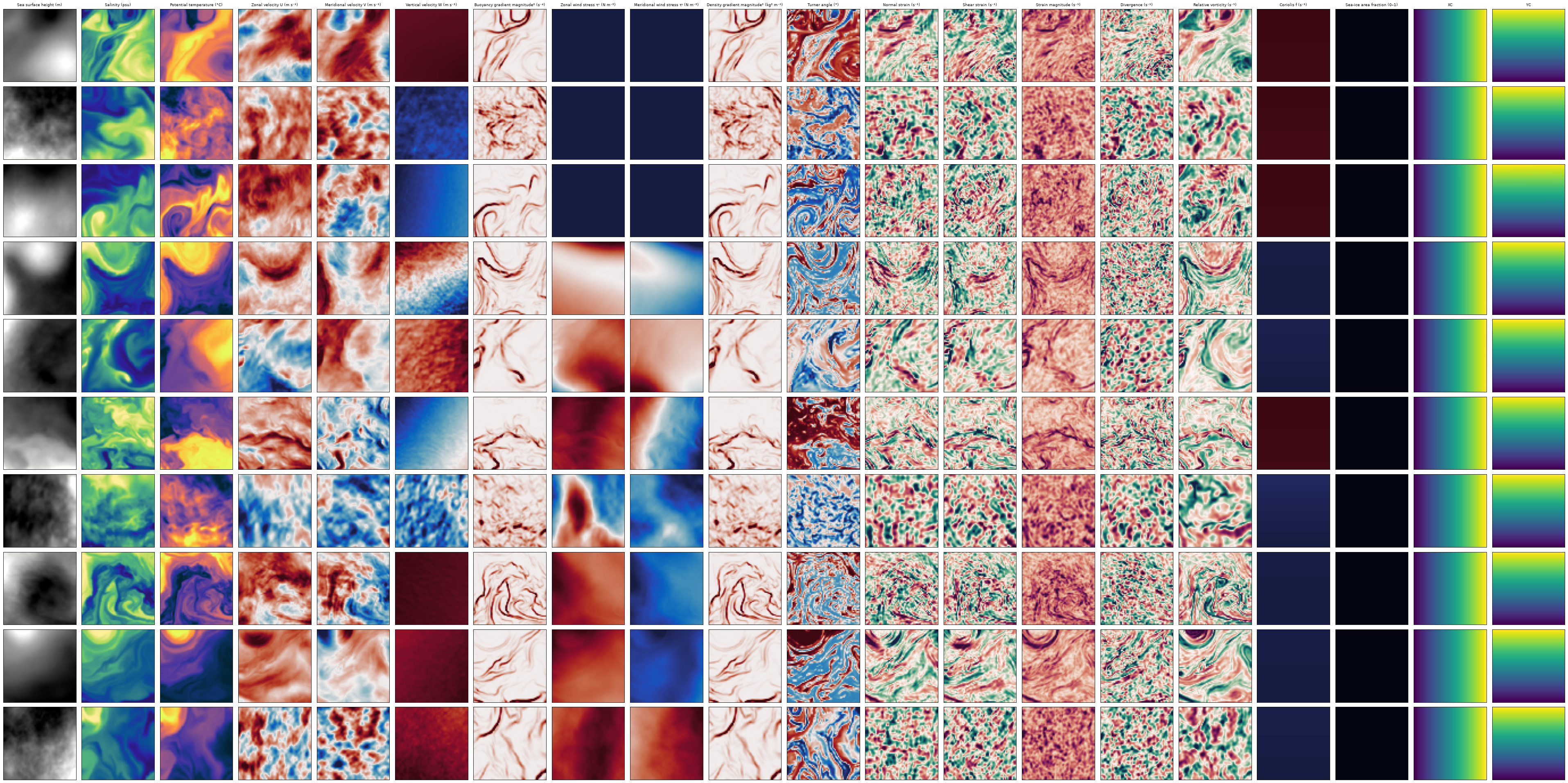
Visualize
from dbof.cutout_dataset_access.access import plot_random_cutouts

fig, meta = plot_random_cutouts(ds, n=5)   # random cutouts, per-feature colormaps
Notes
ds.imagesstays lazy — subset then.compute()to pull into RAM.Channel order comes from the store’s
channel_names; don’t hardcode it.Coordinate channels
XC/YC(lon/lat) are nearest-downsampled.